Action required:
The upgrade process for SQL Server failed. Use the following information to resolve the error, and then repair your installation by using this command line: setup /action=repair /instancename=MSSQLSERVER
Feature failure reason:
An error occurred during the setup process of the feature.
Error details:
§ Error installing SQL Server Database Engine Services Instance Features
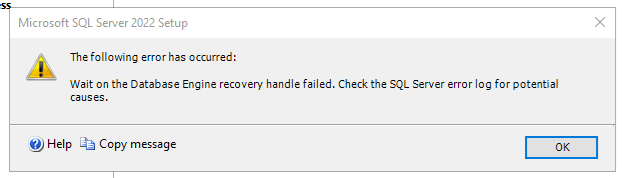
Wait on the Database Engine recovery handle failed. Check the SQL Server error log for potential causes.
Error code: 0x851A001A
Visithttps://go.microsoft.com/fwlink?LinkId=20476&ProdName=Microsoft+SQL+Server&EvtSrc=setup.rll&EvtID=50000&ProdVer=16.0.4255.1&EvtType=0xD15B4EB2%400x4BDAF9BA%401306%4026&EvtType=0xD15B4EB2%400x4BDAF9BA%401306%4026 to get help on troubleshooting.
Cannot bulk load. The file "C:\Program Files\Microsoft SQL Server\160\DTS\Binn\Microsoft.SqlServer.IntegrationServices.Server.dll" does not exist
? 6528 Assembly 'ISSERVER' was not found ? 912 ? 3417
Install Integration Services Manually
cd /d G:\SQLServerFull
setup.exe /Q /INDICATEPROGRESS /ACTION=Install /FEATURES=IS /IACCEPTSQLSERVERLICENSETERMS /UpdateEnabled=False
Test-Path "C:\Program Files\Microsoft SQL Server\160\DTS\Binn\Microsoft.SqlServer.IntegrationServices.Server.dll"
- Start the engine normally, with no trace flags. The script upgrade should now get past
ISServer_upgrade.sql:
cmd
net start MSSQLSERVER
Watch D:\Databases\MSSQL12.MSSQLSERVER\MSSQL\Log\ERRORLOG until you see “Recovery is complete” and no 912 errors.
- Run the repair once more so setup can finish configuring the Database Engine and Full-Text features:
cmd
setup /action=repair /instancename=MSSQLSERVER