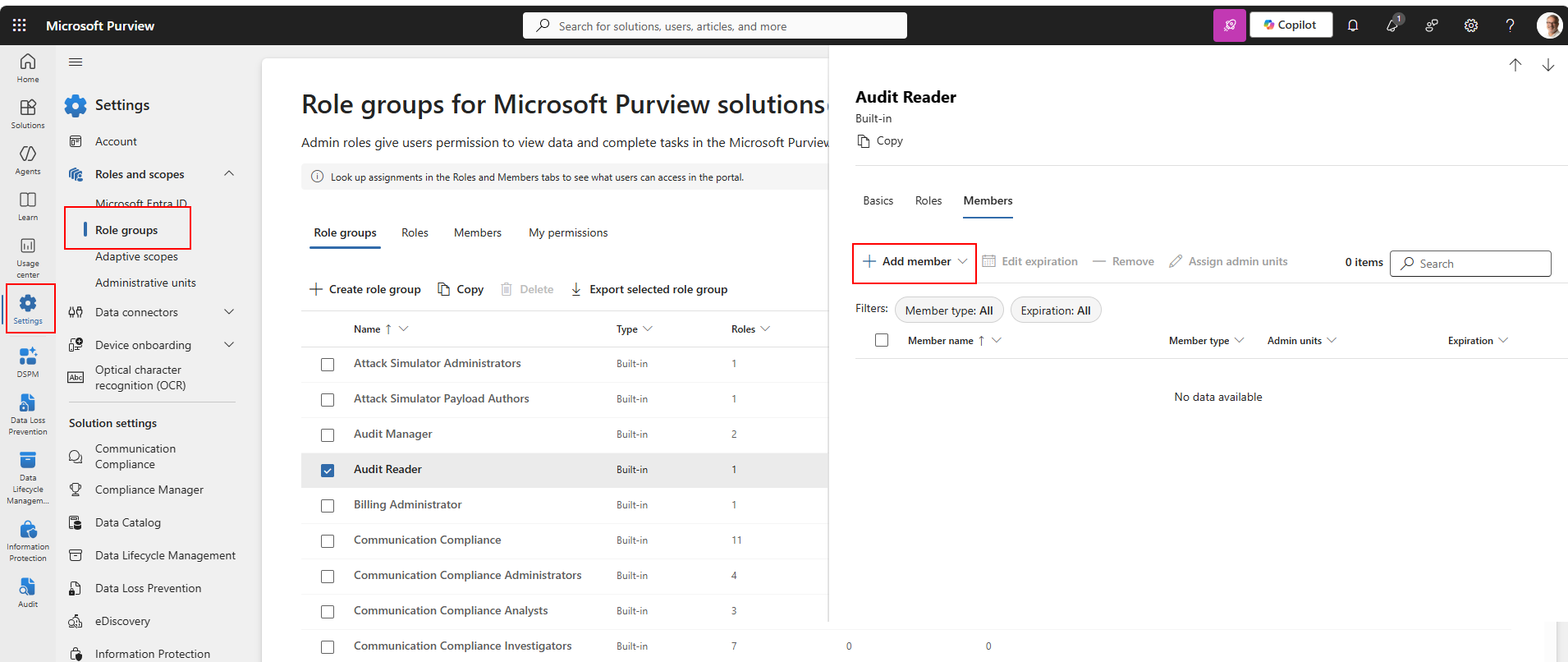
There are specific permissions the account would require – and these are the Purview Roles (steps below) that would need to be assigned:
- Security Reader
- Information Protection Reader
- Audit Reader
- Content Explorer List Viewer
- Compliance Administrator role – required for a more detailed configuration review if you are comfortable providing this level
Assigning Purview Roles
The Purview roles are assigned to the account in the Purview admin portal itself and must be actioned by a user who has Global Admin rights. The process is as follows:
- Browse to https://purview.microsoft.com/settings/purviewpermissions
- Find the role, select the role and then select Edit
- Add account to the Role