The OpenSense website only had a guide of how to do this via Legacy which does not exist on the new firewall IPsec VTI – connect to Microsoft Azure — OPNsense documentation
OPNSense Side
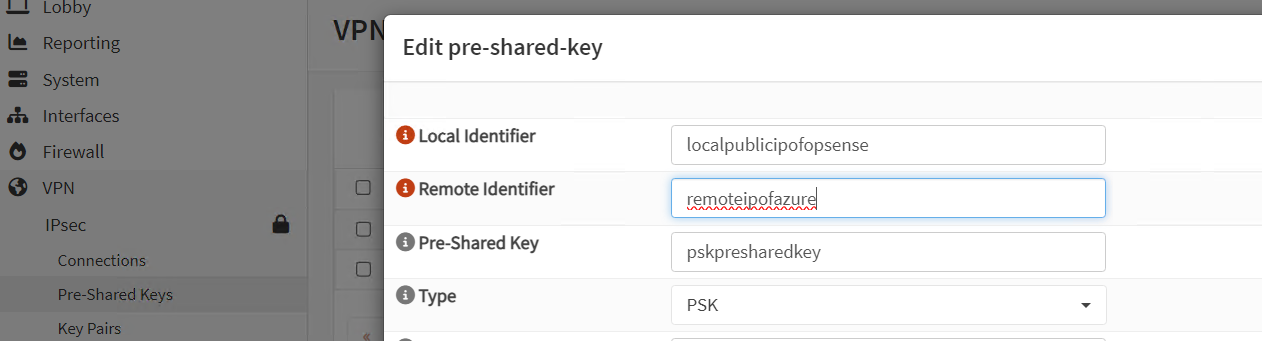
Setup PreShared Key
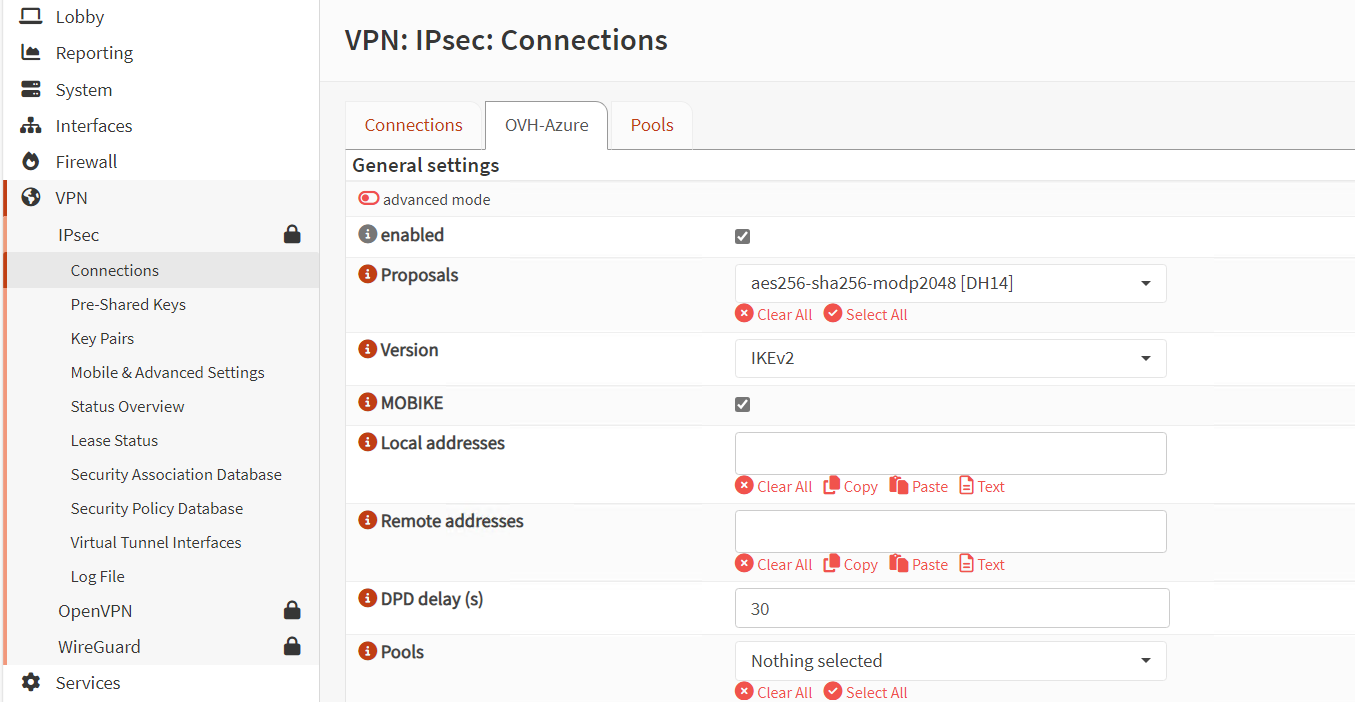
Setup Connection
Local Address : Open Sense Public IP
Remote Address : Azure VPN Gateway IP
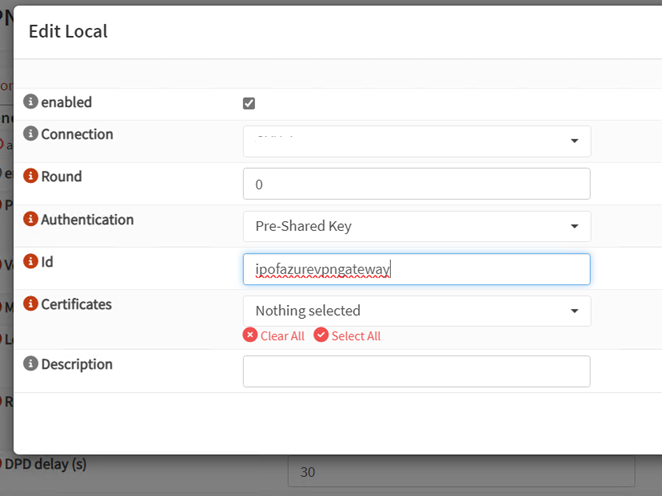
Add Local and Remote Authentication
Connection Name should be the one you created above
ID will be the IP of the Azure Gateway
Add the Child
Local : Local IP Subnets
Remote : Remote IP Subnets
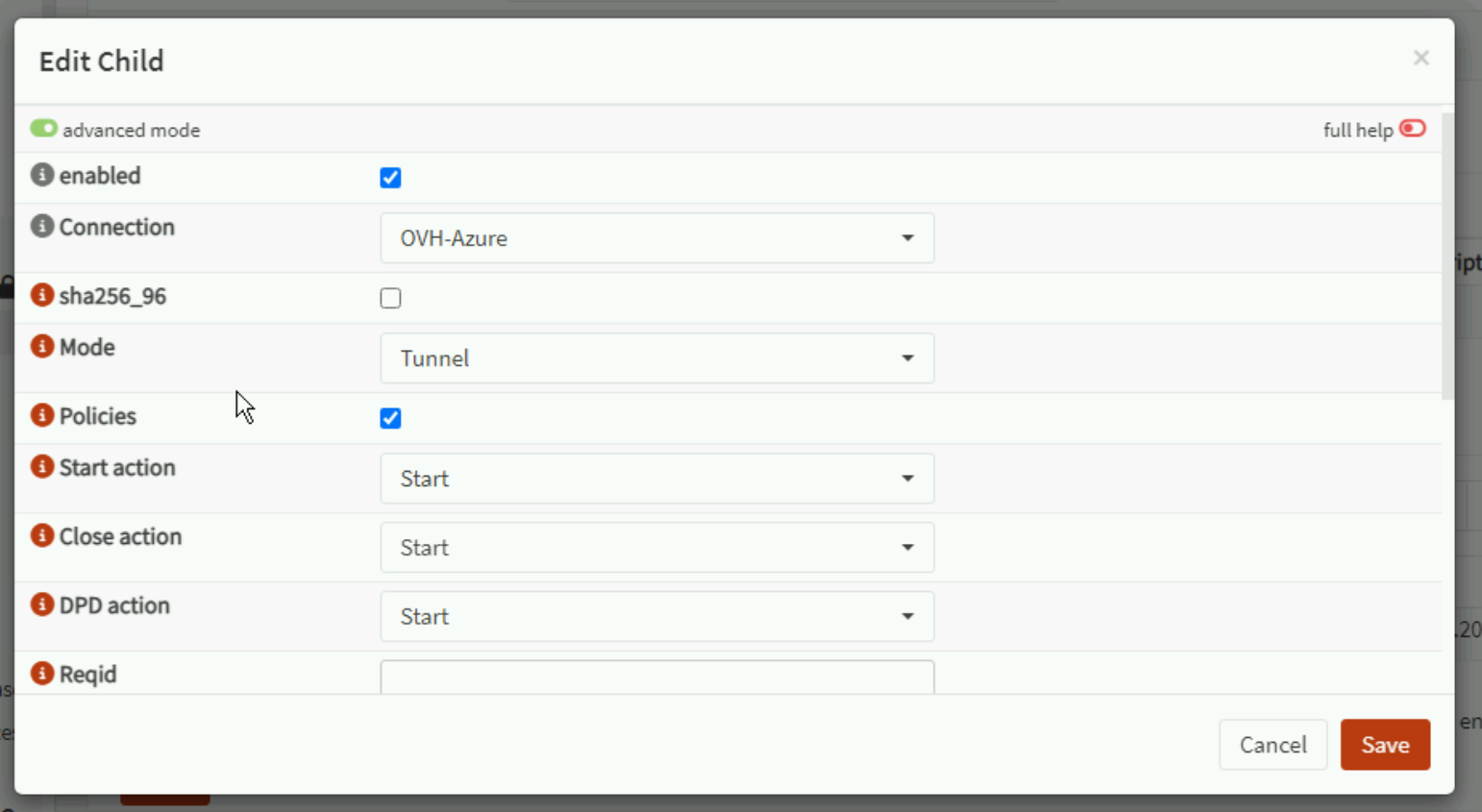
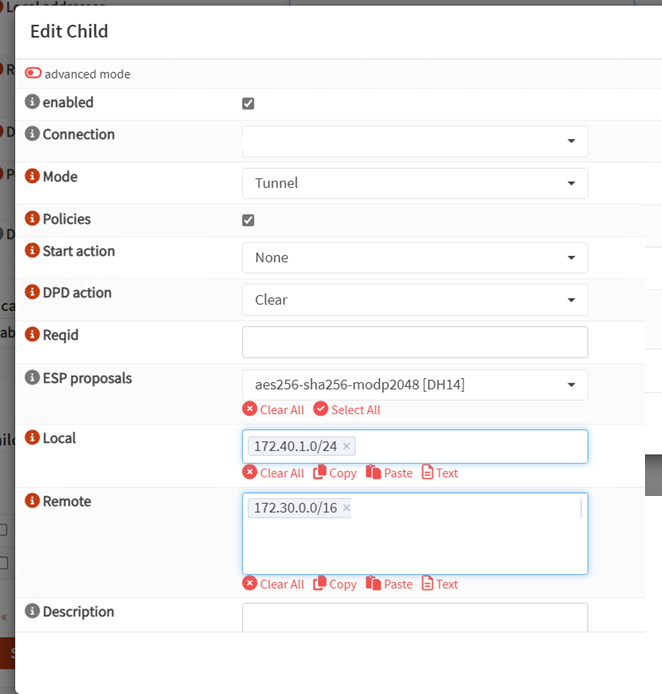

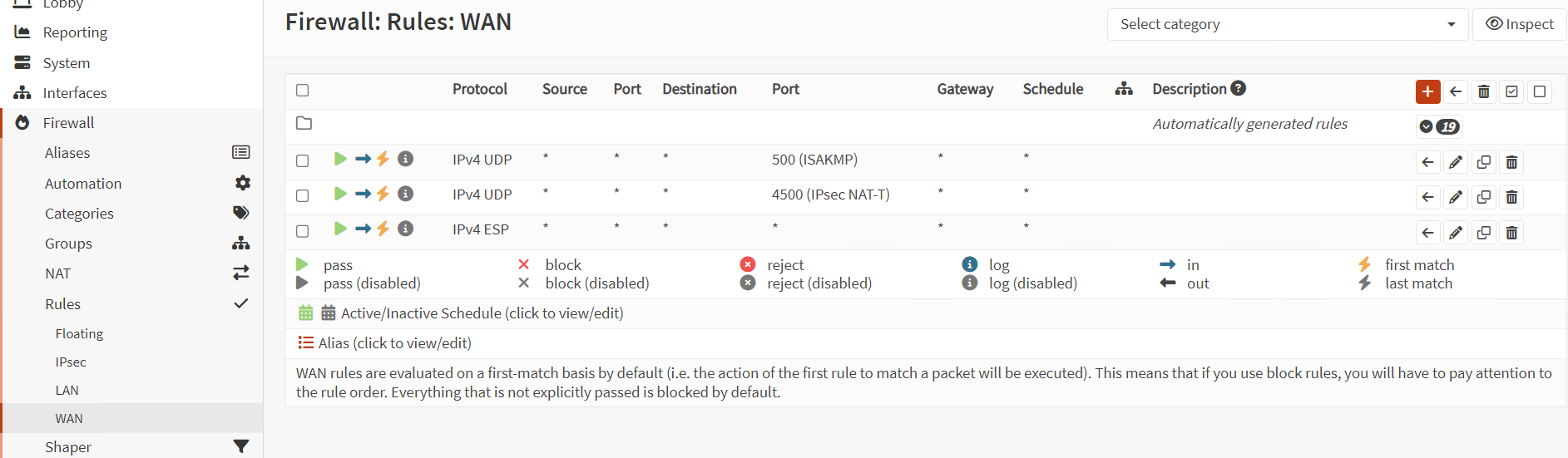
Add the WAN IP Rules
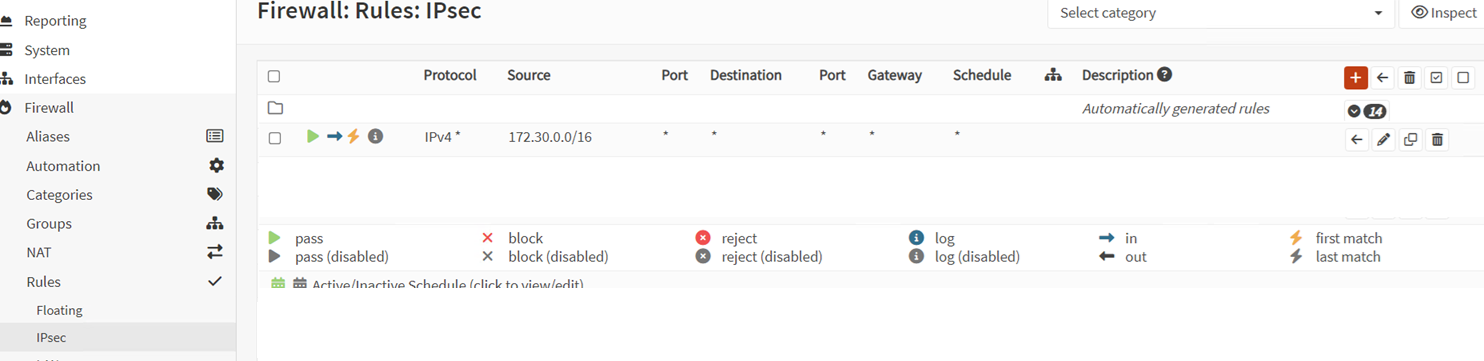
Add the IPSEC Ip rules
Azure Side
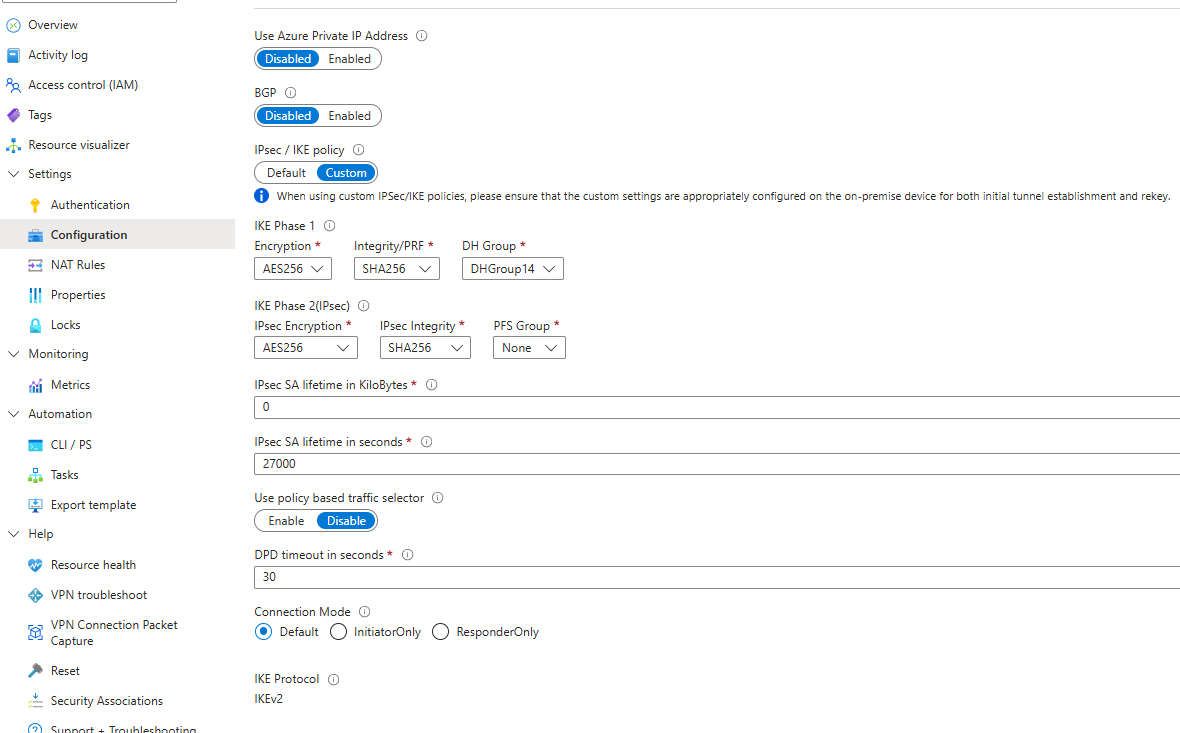
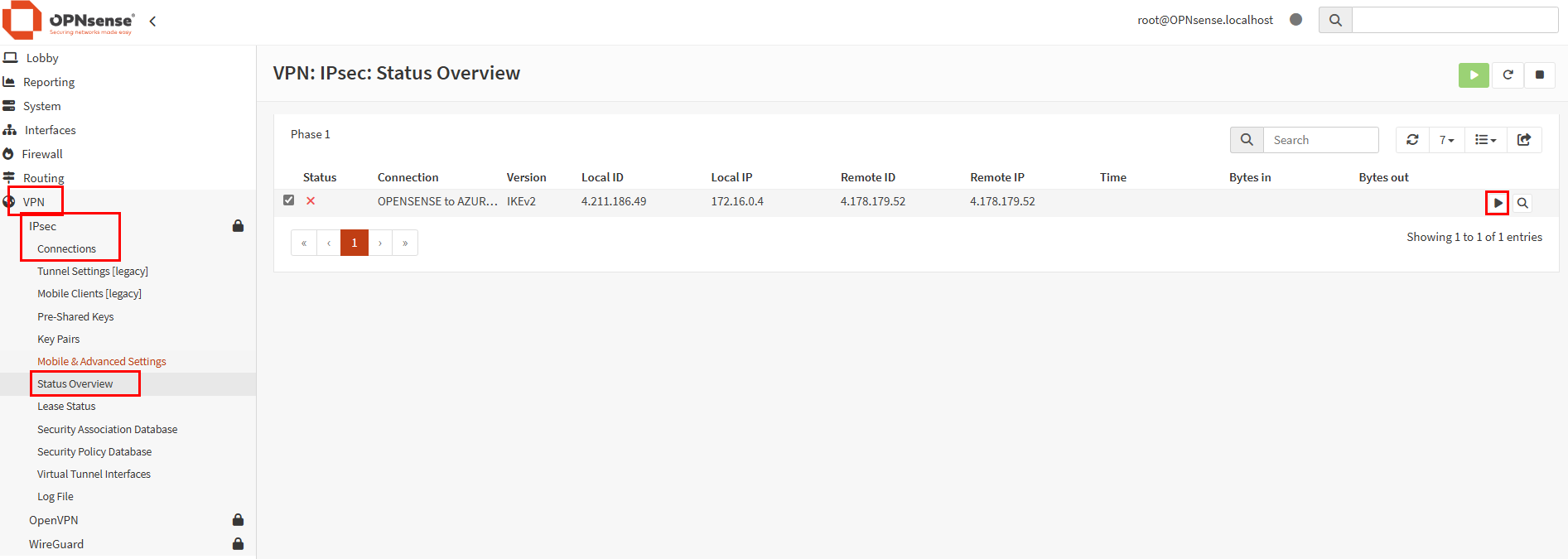
Then use status overview to bring up manually