We have an issue with a few users relating to outlook connecting outlook to CRM and tracking outlook emails to CRM. I have checked the email profile, tennant ID and certificates. Most users are fine, there are 10 users with issues. I have re-set one of these users, re-approved and enabled the mailbox successfully, however, in the alerts the sync CRM to outlook is returning an error: ACS Token fail, please check your tenantid is specified correctly .

you need to clear the cache for the CRM App plugin, as the auth token is corrupted.
Press F12 after clicking in the CRM APP window.
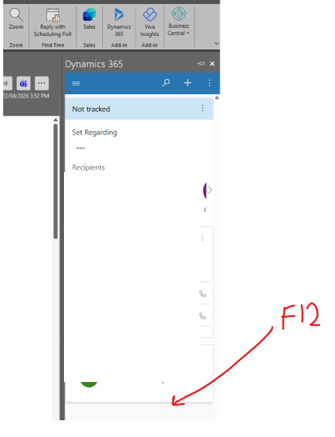
then navigate to Application in the DEV tools window that pops up.
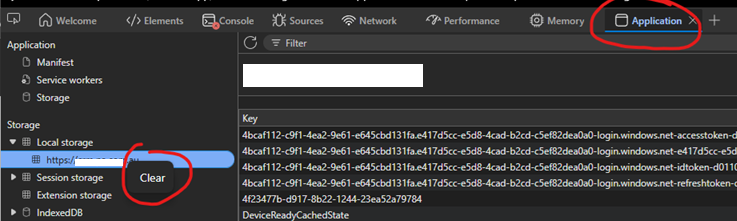
choose –> Local Storage –> xxxxxxx. Right click and clear.
Then close outlook and when you start it again and try and use the CRM App, you will need to go through the full account authentication + MFA again. and it should work as expected.