Randomly, Azure Files with Kerberos were disconnecting with
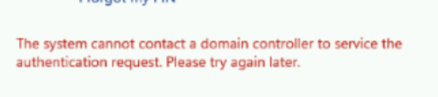
running klist purge fixed the issue
The cause of that turned out to be Kerberos Negative Caching on Windows Machines.
Kerberos Negative Caching on Windows machines refers to the process where the system temporarily stores (caches) failed Kerberos authentication attempts. This caching helps to reduce the load on the Key Distribution Center (KDC) by preventing repeated attempts to authenticate with the same invalid credentials.
in this article of Microsoft, it is described what this Kerberos negative caching is. The default caching time is 10 minutes. It turned out for me if I just waited for 10 minutes, or executed KLIST PURGE_BIND
Create a DWORD registry key FarKdcTimeout under To value 0
HKEY_LOCAL_MACHINE\SYSTEM\CurrentControlSet\Control\Lsa\Kerberos\Parameters.