Limit the JWT request below for 1 call every 10 seconds, you also need to set validate-jwt header policy to validate the JWT first.. The values of JWT are supplied from your dev team. I did not use Open ID as my JWT setup in my example, the developers will know the values.
From the below policy, another option is you can also separate between validate-jwt and rate-limit-by-key policies. validate-jwt will be the parent, and you can apply rate-limit-by-key per function call.
<inbound>
<base />
<validate-jwt header-name=”Authorization” failed-validation-httpcode=”401″ failed-validation-error-message=”rejected by APIM” require-expiration-time=”true” require-scheme=”Bearer” require-signed-tokens=”true”>
<issuer-signing-keys>
<key>{{Jwt–Key}}</key>
</issuer-signing-keys>
<decryption-keys>
<key>{{Jwt–Key}}</key>
</decryption-keys>
<audiences>
<audience>{{Jwt–Audience}}</audience>
</audiences>
<issuers>
<issuer>{{Jwt–Issuer}}</issuer>
</issuers>
</validate-jwt>
<set-variable name=”jwt” value=”@((string)context.Request.Headers.GetValueOrDefault(“Authorization”))” />
<rate-limit-by-key calls=”1″ renewal-period=”10″ counter-key=”@((string)context.Variables[“jwt”])” />
</inbound>
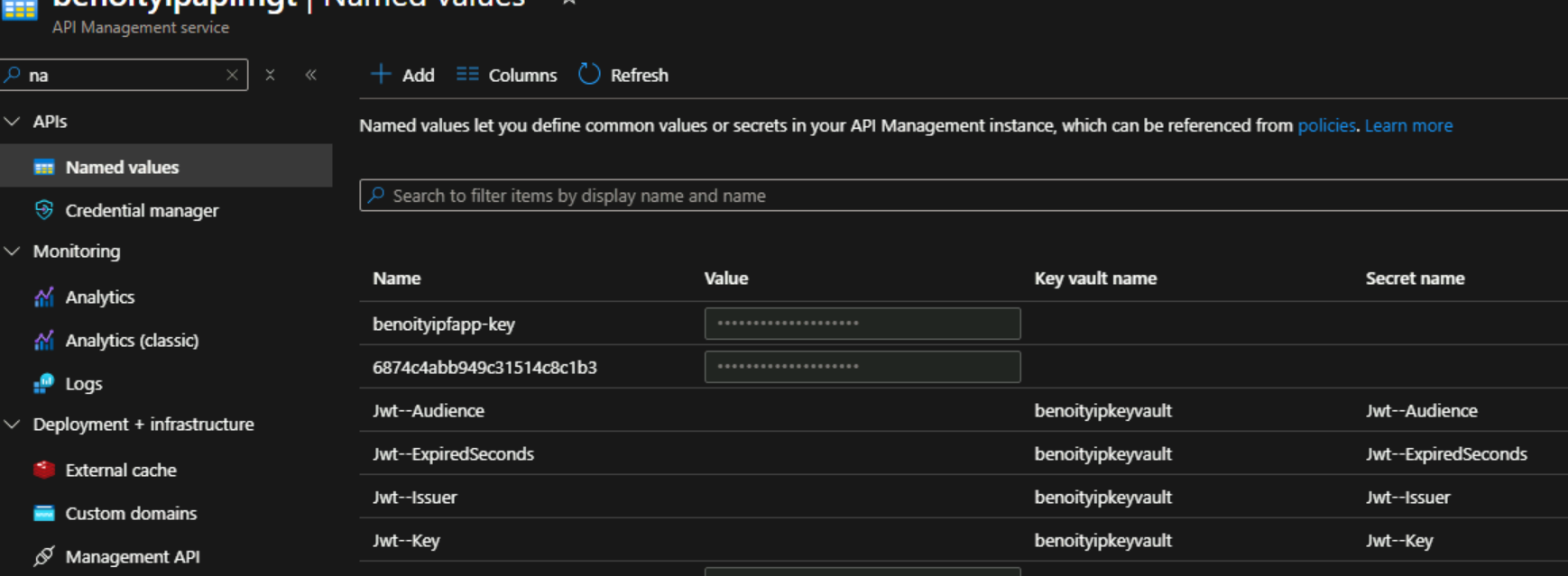
Below, you will also find {{Jwt–Key}}, which is coming from Azure Key Vault, It is set up in here via Named values, an example is shown below
Azure APIM also supports per IP Address here
For Azure Front door setup, please visit here.
For APIM Networking, you can refer to option 1 and option 3 here, this is for AKS and APIM, but the concept is similar. You will need option 1, in order to work with Azure Front door, and put all your Azure functions inside the subnet, however, you need to upgrade from Basic v2 SKU to standard v2 anymore in APIM.
I have also checked caching in APIM, it requires you to have Azure Redis Cache, and you also need to define policies defined in here.
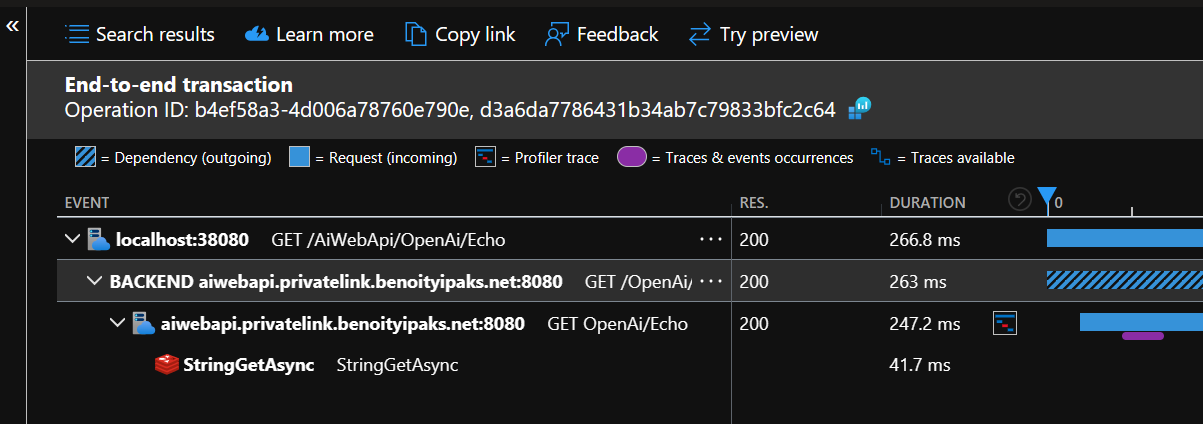
For recommended baseline policies, there is no such thing, but I have found this article here. I also recommend you installing Application Insight to trace the dependencies here (localhost:38080 is my localhost Azure APIM in my dev machine).
For validating the contents of the body, you can call Azure function by using this policy, but I don’t recommend this approach, as it is a good practise to keep the Azure APIM as light weight as possible. Below is supplied by Copilot which can be used for reference only
Another feature which is useful to you is autoscaling as described in here, giving that you have huge traffic at certain times.