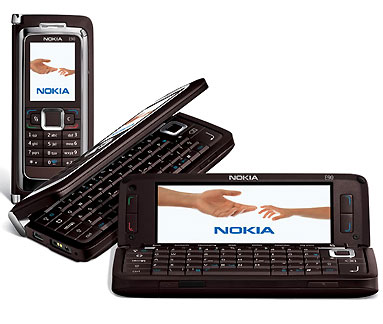
 After nokia has abandoned it’s Intellisync Business Messaging Solution I have moved some business clients who unfortunately still don’t like the look and feel of blackberries from Intellisync to Mail for Exchange.
I formatted the device to delete the Intellisync application and settings ( Make sure you backup all of your data before using Nokia PC Suite! I did this by powering the Phone off , turn on with the (*)the(3)and the (green phone) pressed down untill the welcome screened displayed asking the input for the country.
I downloaded the latest version of Mail for which can be found here. Upon installing Mail for Exchange on a Nokia E90 via Nokia PC Suite ( Dragging and dropping the file on the Phone) , I came across the following error
“Unable to install no access”
For some reason , this was down to an out of date version of the .SIS file , Redownloaded S60_3_1.SISX and it worked fine! Setting up the phone was a breeze as all the clients details are on the exchange server.
Setup the new profile with the Email ,Username , Password , Domain Name and Settings for GPRS ( Default GPRS connection) , it will try to autodetect the mailserver using Exchange 2007’s auto configuration and if it fails , point the mail server to the external address of the server ( Usually mail.companyserver.com , accept the certificate and your off! )
After nokia has abandoned it’s Intellisync Business Messaging Solution I have moved some business clients who unfortunately still don’t like the look and feel of blackberries from Intellisync to Mail for Exchange.
I formatted the device to delete the Intellisync application and settings ( Make sure you backup all of your data before using Nokia PC Suite! I did this by powering the Phone off , turn on with the (*)the(3)and the (green phone) pressed down untill the welcome screened displayed asking the input for the country.
I downloaded the latest version of Mail for which can be found here. Upon installing Mail for Exchange on a Nokia E90 via Nokia PC Suite ( Dragging and dropping the file on the Phone) , I came across the following error
“Unable to install no access”
For some reason , this was down to an out of date version of the .SIS file , Redownloaded S60_3_1.SISX and it worked fine! Setting up the phone was a breeze as all the clients details are on the exchange server.
Setup the new profile with the Email ,Username , Password , Domain Name and Settings for GPRS ( Default GPRS connection) , it will try to autodetect the mailserver using Exchange 2007’s auto configuration and if it fails , point the mail server to the external address of the server ( Usually mail.companyserver.com , accept the certificate and your off! )
Nokia Mail for Exchange ( E90 ) – Unable to install no access
After nokia has abandoned it’s Intellisync Business Messaging Solution I have moved some business clients who unfortunately still don’t like the look and feel of blackberries from Intellisync to Mail for Exchange.
I formatted the device to delete the Intellisync application and settings ( Make sure you backup all of your data before using Nokia PC Suite! I did this by powering the Phone off , turn on with the (*)the(3)and the (green phone) pressed down untill the welcome screened displayed asking the input for the country.
I downloaded the latest version of Mail for which can be found here. Upon installing Mail for Exchange on a Nokia E90 via Nokia PC Suite ( Dragging and dropping the file on the Phone) , I came across the following error
“Unable to install no access”
For some reason , this was down to an out of date version of the .SIS file , Redownloaded S60_3_1.SISX and it worked fine! Setting up the phone was a breeze as all the clients details are on the exchange server.
Setup the new profile with the Email ,Username , Password , Domain Name and Settings for GPRS ( Default GPRS connection) , it will try to autodetect the mailserver using Exchange 2007’s auto configuration and if it fails , point the mail server to the external address of the server ( Usually mail.companyserver.com , accept the certificate and your off! )
 (No Ratings Yet)
 Loading...