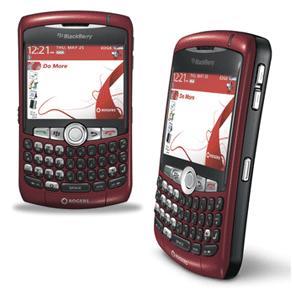
Posted by paris on Mar 31, 2009 in
Fixes |

Upon sending an SMS Message an error message is displayed
“Short Message Transfer Rejected” with a red cross.
This issue is displayed due to an error with the contact number you are trying to send to. E.g. I recently imported some number using Google Sync , and it wiped the first zero off the number. The only way round this is to fix the number in your contact list. Copy the text of the errored text message , delete the message , and recreate a new one with the contact ( with correct number ) and paste the message back
VN:F [1.9.17_1161]
Rating: 0.0/10 (0 votes cast)
VN:F [1.9.17_1161]
Tags: Red Cross SMS Blackberry, Short Message Transfer Rejected
omg this worked soooo good thank you so much!!
please check if you didn’t add picture in the profile. if YES just remove it
Thanks, works perfect
I’ve tried everything, this actually worked. Yesss
Ive been to vodafone like 3 times this week and they could not figure it out! Thank you so much!
Hmmmm, still not working, didn’t take the zero out of the number….Telstra have been working on it, but no good…any further advice would be appreciated because I’m here in HK for work with no messaging facilities available
It will be something to do with the number format , if you are abroad you might need to put the dialing code in before ( which is the code for your home country ) e.g. mines puts +44 for UK
Can someone please help me? i dont get it.
The problem is due to incorrect numbers in your address book , try looking at the number to check whats wrong
I have tried deleting and re-entering the number. I was just able to text to it the other day and can still receive texts from it. I can also text other contacts.
Any ideas?
thanks this worked perfect
michelle i done what they said on the top an this worked perfect,i deleted the number on my contact an was perfect,i had the same problem you had, could receive from a certain number but could not text back this should work Thanks!
definitely did not work, i dont even have the contact saved in my adress book to begin with.. but i added it.. deleted it, tried exactly what you said, and nope.. didnt work
Have you tried checking the number format , can you actually call the number in questions?
If it doesn’t work, say if its to Aus +61 3 (Area code is 03 for vic ignore the 0) then the phone number, if its say to america put a 1 (Not 00111) before the number, etc, you can look up this info online, but if that doesn’t work, I had to delete all msg’s I attempted to send that got rejected, and then I had to retype it like as i explained without the 0 at the start, and it sent first try xD (Hope this helps)
worked for me…had to put +1 area code infront of contact #
I’v tried wat u said bt still no change. I even deleted the contact and added it again. Plz help!!
The + sign worked for me. Thanks a lot paris
This worked first time, thanks mate!
Worked when I put the 1 infront of the number thx
Tried all and everything and nothing works!! Just was texting this friend all day yesterday with absolutely no errors. Now it’s doing ot for all of my contacts!! This sucks
It is not working for me,all i did was added my email to the phone and started getting this problem
i had to put ”plus” then the area code..then to remove the first 0 of the number..and it worked
also, sometimes if you delete the number from the call log, this will happen. just dial the number and wait for at least one ringtone then try sending the sms.
my blackberry keep mess yp and this message cum UP SAY facility recject
im not getting it
all my numbers and my phone book all ready have the 1 and the + sign in front of it so does that mean i need to wait till my battery get full cause a lot of people is saying that to…. that i need to wait till my battery gets full.
I’ve not heard of that , if your battery isn’t charged up enough then the Mobile Network Doesn’t turn on , but if you are getting phone reception , this should be fine
my phone will not send messages to numbers such as; 86444. There is no zero’s on this number? i have also tried adding my country code (+44 for me) and it stillwont work. Please tellme if i do not understand it or if i’m doing something wrong..
I’ve tried everything said here and nothing is working!
… could it be that the contact has blocked my number?
I am having same problem, canadian cell number, and have tried deleting contact, adding the 1 and area code, restarting phone, battery pull, battery charge, …….. i was able to text this person no problem the other day.
i deleted all previous texts, call log with that number, and deleted the number, then i re entered the number on a new contact, then it worked
Wow, this worked great, in my case I had to erase all records including other contacts that had the same number (my son’t mobile was in two contacts) and I had erase all SMS prior records. It worked. SO the trick here is to mkae sure the saem number isnt in another record
Should probably rephrase this, Its super hard to understand what you mean by first zero.
IT DIDNT WORK!!!!! ITS DOING IT FOR ALL OF MY CONTACTS!!!!!!!!
This worked perfectly. But,I had to erase any record of any old sms for each contact
Worked a dream..been trying for days….issue is Blackberry always defaults back to saved numbe rin your phone book. If thats wrong even if you reply direct to a text it automaticaly uses the saved number not the rpely number like other phones…thanks a lot…Well recommended…
I could receive/send all texts with the exception of one number. Quick fix for my BB was to add + sign, area code and number. Erasing the # did not work.